
Yad 2 Guide
Yad 2 Website
Homepage
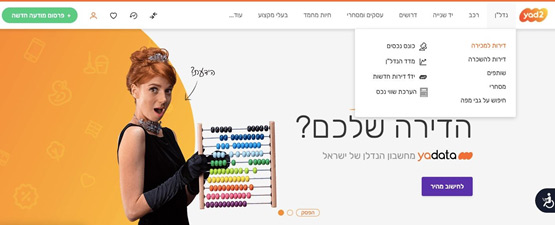
Yad2 is a website where you can find all sorts of second-hand things; apartments, cars and even pets!
In order to search for second-hand apartments, you’ll have to click on the tab נדל”ן (Real Estate) on the top right corner of the page, next to the Yad2 logo.
You will see that 9 categories come up- they are as follows (right column first):
- Apartments for Sale
- Apartment Rentals
- Roommates
- Business
- Map Search
- Official Receiver
- Real Estate Index
- Yad1: New Apartments
- Valuation of Assets
The remaining 7 tabs at the top of the page are as follows (from right to left):
- Cars
- Second Hand (Electronics, Furniture, Phones etc..)
- Jobs (Looking for jobs, Posting jobs, Help writing a Resume etc..)
- Business (Offices for rent, Businesses for sale, Equipment for your business etc…)
- Pets
- Professionals (Plumbers, Electricians, Cleaning companies etc…)
- More…
In this guide, we’re going to be focusing on the Real Estate ( נדל”ן) aspect of Yad2; Buying and Renting apartments.
Buying
If you click on the Apartments for Sale (דירות למכירה) option in the Real Estate menu, you will be led to the following page:
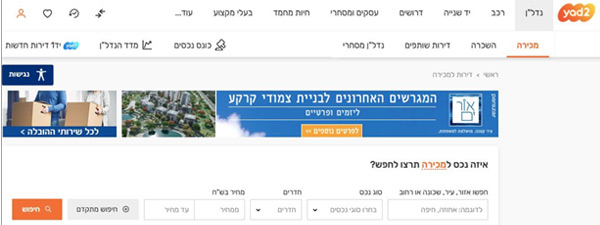
Keep in mind there are a lot of pop-up ads on this website, which can sometimes be a bit distracting and confusing.
Search Bar:
You will see a white box at the top of the page asking you what kind of property you are looking for. There are 4 categories you can fill out in order to begin your search, and they are as follows (from right to left):
1. Area/ City/ Neighborhood/ Street
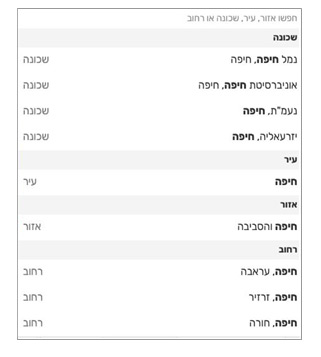
Start typing (in Hebrew) the specific area, city, neighborhood or street you’re interested in and you will see the options coming up below, similar to this image.
You’ll have to select which one you are referring to, since many street names can also be the names of cities/ towns and vice versa.
2. Type of Property
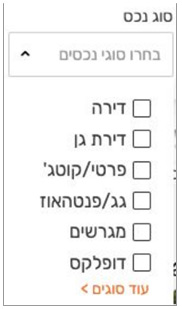
These are the options that will come up once you click on the arrow:
- Apartment
- Garden Apartment
- Private House/ Cottage
- Rooftop Apartment/ Penthouse
- Land lot
- Duplex
If you click on the orange text below that says “םיגוס דוע” (More types), the following will come up with an additional 3 columns:
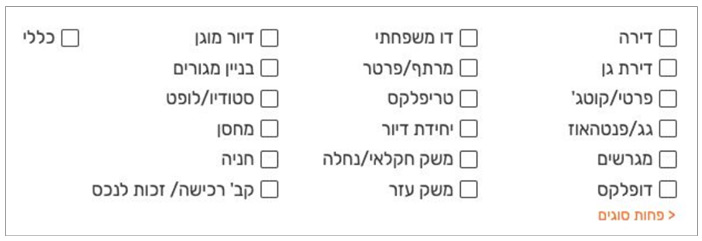
The remaining options are as follows (starting from the second column):
- Two Family Home
- Basement/ Ground Level
- Triplex
- Living Unit
- Agricultural Land/ Estate
- Farming Area
- Assisted Living Facility
- Building
- Studio/ Loft
- Storage Space
- Parking
- Purchase Group/ Right to Property
- General
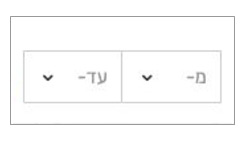
3. Number of Rooms
The following box will come up once you click on the arrow by the word “םירדח”. The right part is the minimum number of rooms you’d like to have and the left part, the maximum. You’ll have to click on the arrows to select the number you want.
4. Price Range(in Shekel)
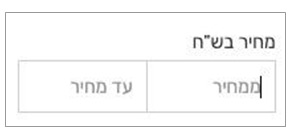
Similar to the section above, the
right part is where you can type in your minimum price, and in the left part, your maximum price.
After you have filled in the categories, you will see there are 2 different buttons:
If you click on the orange “Search” button, you will be led directly to the list of properties that apply to your filters. However, if you click on the grey “Advanced Search” button, you will have a selection of additional filters you can use to narrow down the options:
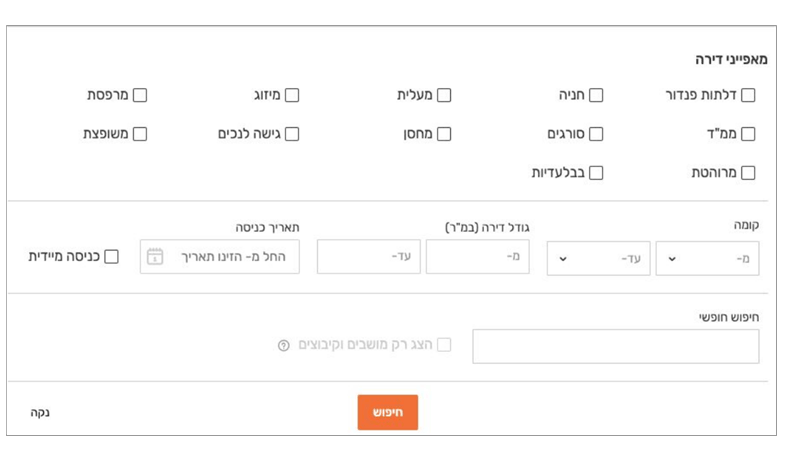
In the first section, you can filter by the features you’d like your apartment to have. The options are as follows (starting from the right column):
- Pandoor brand Doors
- Mamad (Safe Room)
- Furnished
- Parking Space
- Bars (on the windows)
- Exclusive
- Elevator
- Storage Room
- Air Conditioning
- Accessible
- Balcony
- Renovated
In the second section, you can filter by an additional 3 options (right to left):
● Floor
The box on the right is the lowest floor and the box on the left is the highest floor you’d like to live in. Click on the arrow to select a number (there will also be an option for the Basement- מרתף)
● Apartment Size (in Square Meters)
Type into the box on the right the minimum size of the apartment you’d like to live in and in the box on the left, the maximum size.
● Date of Entry
Once you press on this box, a calendar will come up for you to select a date. You’ll see there’s a checkbox to the left; click on it if you’d like to enter into the apartment immediately.
The last section is an open search where you can type whatever you’d like.
You’ll see there’s another checkbox to the left; click on this one if you’d like to search for properties only in Moshavim (settlements) and Kibbutzim.
Once you have chosen all your filters, click on the orange “Search” button at the bottom.
If you’d like to clear you filters, click on the text in the bottom left corner that says “נקה”.
Apartments for Sale:
In this section, you will see all the apartments that apply to the filters you set. At the top, there are usually 3 boxes, advertising new buildings (these don’t necessarily apply to your filters). You have the address (ex: 4 רמז) and the city/ town (ex: קרית מוצקין) of the new project. If you’re interested, click on any of the 3 boxes.
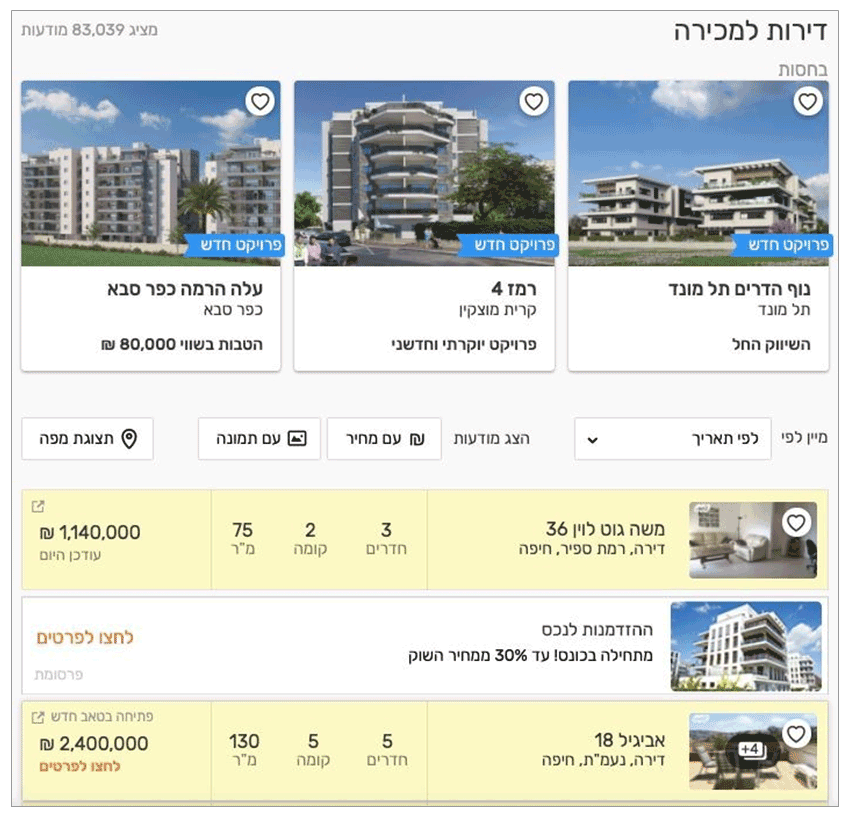
The part below is where you can see the full list of apartments. You can filter the results additionally by clicking on the arrow that appears on the box to the right that’s titled “מיין לפי” (Filter by).
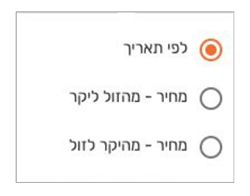
You can choose to filter by:
1. Date apartment was added
2. Price (Lowest to Highest)
3. Price (Highest to Lowest)
You can also click on the box that says “עם מחיר” if you want to only be shown the options that have a price listed. Or on the box that says “עם תמונה” if you want to only be shown the options that have an image.
You’ll see some results appear in a white box and some in a yellow box- yellow just means that the post was updated on that very day.
Let’s say you’ve found an apartment you like and you want to find out more. Simply click on the post and the following will come up:
On the top right corner, you have the address of the apartment (you can click on the orange map icon next to it to see it on a map).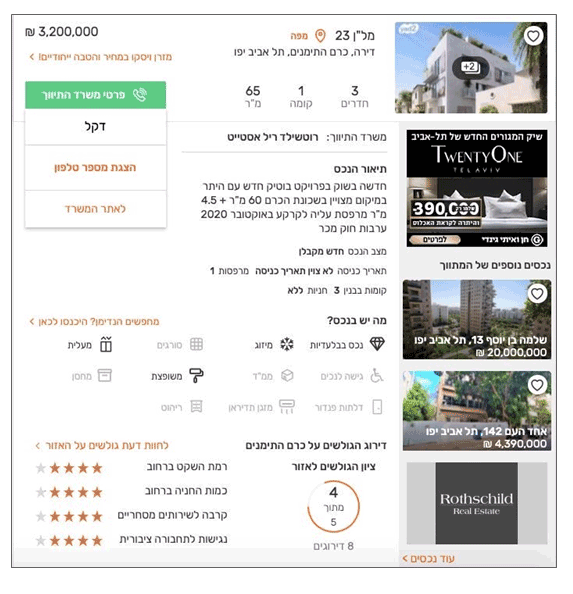
Under that, you have the type of property (ex: דירה= apartment), the neighborhood (ex: כרם התימנים) and finally, the city (ex: תל אביב).
Below, there are three numbers. Starting from the right, the first one is the number of rooms, the second one is the floor the apartment is in and the last one is the area in square meters.
Where it says “משרד התיווך”, you have the name of the real estate company in charge of this apartment (ex: ליר דלישטור אסטייט= Rothschild Real Estate).
On the top left corner, you have the price in shekel. The orange text underneath is just an ad.
The green box shows you the contact details for the real estate company (not all apartments will have a box like this one). You’ll see there are 3 boxes underneath- the first one is the name of the contact person, the second one will give you the phone number once you click on it, and the third one is the link to the company’s website.
If we go back to the right hand side, you’ll see there’s a short description of the apartment and below, 3 lines with more information.
They are as follows:
- Property Condition (New/ Renovated etc…)
- Date of Entry (in this post, for example, it says that it hasn’t been determined yet)
- Number of balconies (this information also appears on the second line)
- Number of floors in the building
- Does it have a parking spot? (this information also appears on the third line)
Underneath, there’s a list of the possible features in a property- the ones in bold are the ones the apartment you are viewing has.
The list of features is as follows (starting from the right column):
- Exclusive property
- Accessible
- Pandoor brand Doors
- Air Conditioning
- Mamad (Safe Room)
- Tadiran brand Air Conditioners
- Bars (on the windows)
- Renovated
- Furnished
- Elevator
- Storage Room
The last part is the rating of the neighborhood (by other Yad2 users).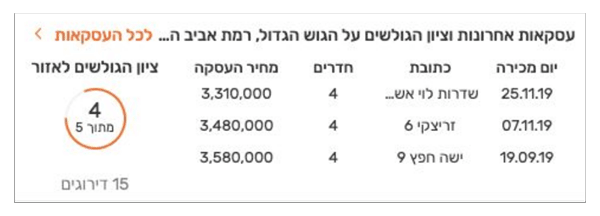
To the right, you’ll see a circle- the number that appears inside is the general score of the neighborhood out of 5. To the left, there’s ratings for more specific factors in the neighborhood. They are as follows (from top to bottom):
- Level of peace and quiet
- Number of parking spots
- Proximity to commercial areas
- Accessibility to public transportation
In some posts, you can also see a history of the transactions made in the area. It will look similar to this:
The columns of the table are as follows (from right to left):
- Date of Purchase
- Address
The layout is identical to the “New Projects” category in the Renting page.
Word Bank
| English | Hebrew | Transliteration |
| Accessible | םיכנל שיגנ | Nagish LeNechim |
| Address | תבותכ | Ktovet |
| Air Conditioning | ריווא גוזימ | Mizug Avir |
| Apartment | הריד | Dira |
| Architect | לכירדא | Adrichal |
| Area | רוזיא | Eizor |
| Balcony | תספרמ | Mirpeset |
| Bars (on windows) | םיגרוס | Sorgim |
| Building (Noun) | ןיינב | Binyan |
| Building (Verb) | הינב | Bniyah |
| Buying | הינק | Kniya |
| Contractor | ןלבק | Kablan |
| Date | ךיראת | Ta’arich |
| Elevator | תילעמ | Ma’alit |
| Floor | המוק | Koma |
| Furniture | טוהיר | Rihut |
| Garden | הניג | Gina |
| Homeowner Association | תיב דעו | Va’ad Bayit |
| House | יטרפ תיב | Bayit Prati |
| Intermediator | ךוותמ /ךווית | Tivuch/ Metavech |
| Kindergarten | םידלי ןג | Gan Yeladim |
| Neighborhood | הנוכש | Shchunah |
| New | שדח | Chadash |
| Parking | היינח | Chanaya |
| Penthouse | זואהטנפ | Penthauz |
| Price | ריחמ | Mechir |
| Property | םכנ | Neches |
| Property Tax | הנונרא | Arnona |
| Renovated | ץפושמ | Meshupatz |
| Rental | הרכשה | Haskarah |
| Roof | גג | Gag |
| Room | רדח | Cheder |
| Safe Room | ד”ממ | Mamad |
| School | רפס תיב | Beit Sefer |
| Second-hand | הינש די | Yad Shniyah |
| Storage Room | ןסחמ | Machsan |
| Surface Area | חטש | Shetach |
| Surroundings/ Environment | הביבס | Svivah |
| Transaction | הקסע | Iskah |