
Set Up Monthly Bituach Leumi Payments
Bituach Leumi (The National Insurance Institute of Israel) is responsible for a wide range of services including pensions, health insurance, unemployment payments, child supplements, and more. All Israeli residents aged 18 or older must, under law, be covered with Bituach Leumi and are therefore obligated to pay general insurance and healthcare contributions.
The amount paid for National and health insurance contributions is calculated in accordance with the level of income from employment or from other sources; including foreign based income. Your employment status is also taken into account.
For information about rates and amounts click here.
The easiest way to ensure that you do not miss payments is to set up Hora’at Kevah – automatic payments – with Bituach Leumi. You can do so either through your bank account or credit card (shown below).
Here we will walk you through a step by step guide on how to set up automatic bank payments.
Step 1: Download, print, and fill out the form for automatic payments. . For automatic payment through bank withdrawal, use the 6127 form. Note that the 6127 form requires an additional step, because it must be signed by your bank before sending it back to Bituach Leumi.
Step 2: Once you’ve filled it out and signed it (it is very important that everything is filled out in Hebrew), scan/take a picture of it.
Step 3: Open up Bituach Leumi’s website to submit the form.
Step 4: Click the green button on the bottom left.
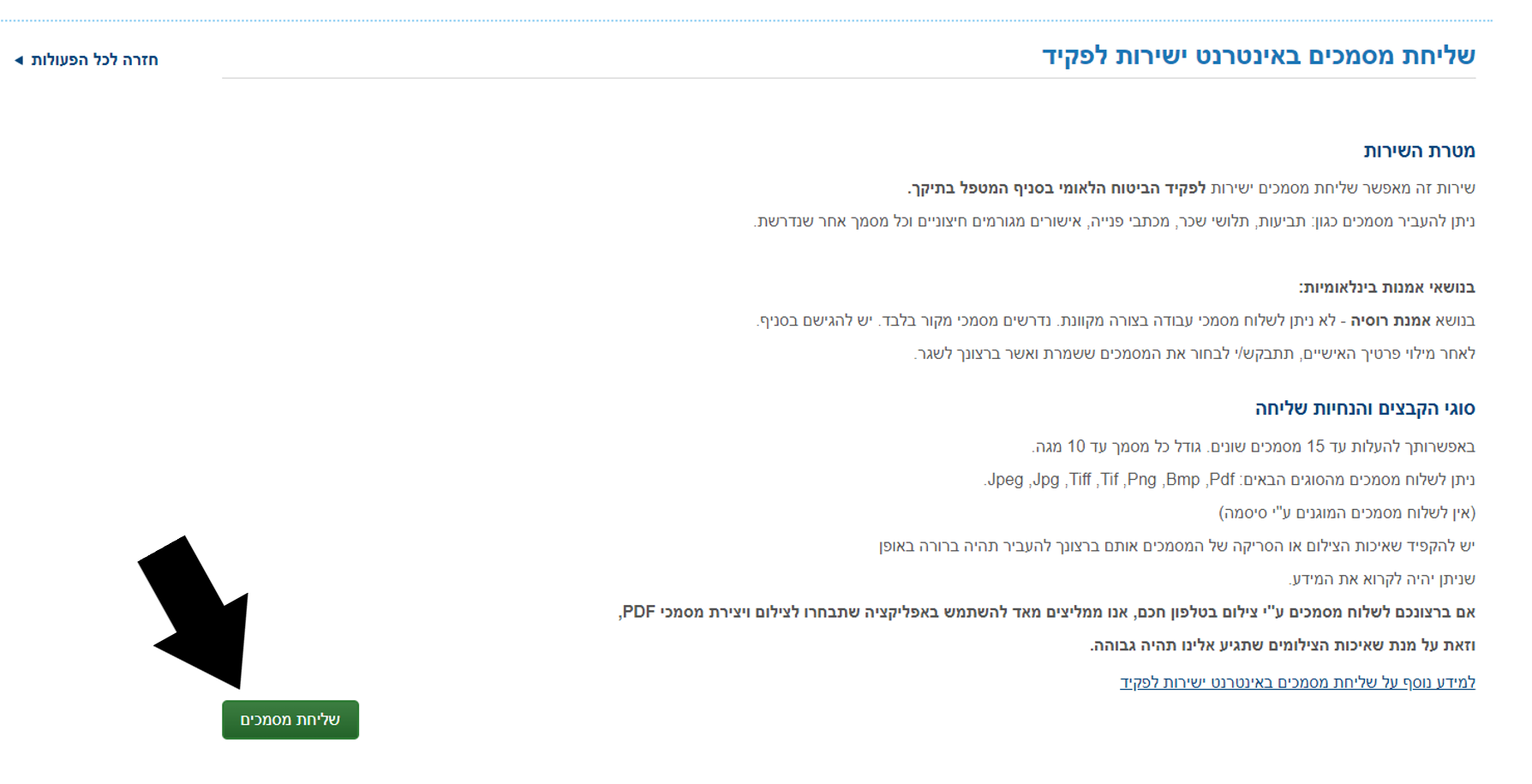
Step 5: Click the second option and then the green button

Step 6: Fill in your personal information and then click the green button
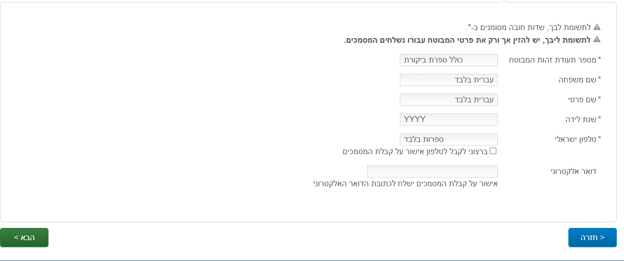
Step 7: Upload the scan/picture of the document
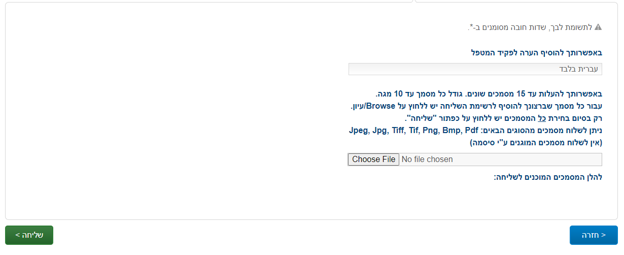
Step 8: Click שליחה after uploading and you should get a confirmation message
Here we will walk you through a step by step guide on how to set up automatic credit card payments.
Log into your bituach leumi account and choose בירור גביה, then click on the long underlined sentence, second line from the bottom.

Click the box for the declaration agreeing to set up the automatic payment from your credit card.
Enter your credit card number, then the expiration date, and click the rectangle to update.

For any questions or issues reach out to NBN Answers at [email protected] or call *3680.
Updated: April 8, 2025